


Order in 6 Easy Steps

1. Select Products
Once you find the product you want, add it to your cart. Some products may require you to select a style or color.
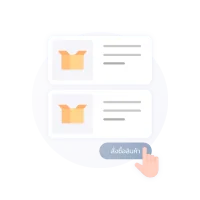
2. Place an Order
Click the cart icon, review your items, and press the order button. The system will take you to the online invoice page.

3. Shipping
Choose your preferred shipping method. Each option will display the estimated shipping cost and delivery time.
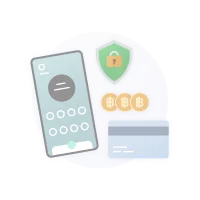
4. Payment
If you choose online payment, you will be redirected to the payment page. If you choose bank transfer, you can transfer and notify us immediately or complete the transfer later.
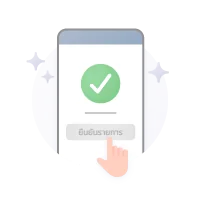
5. Confirm Your Order
Clicking the confirm button means your order has been completed.
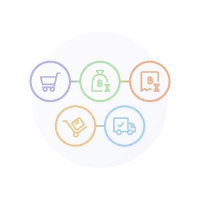
6. Track Your Order
You can track your order status and parcel tracking number through the online invoice link.
How to Order
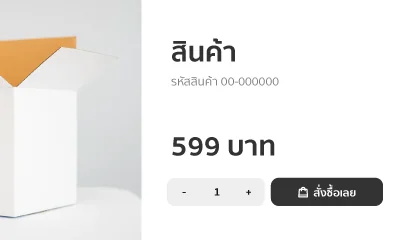
1. Choose the product you'd like to purchase on our website.
You can search for products using the button above or browse by category from the top menu of the website.
Once you find the product you want, click to add the product to your cart.
Once you find the product you want, click to add the product to your cart.
2. Review Your Cart and Place an Order
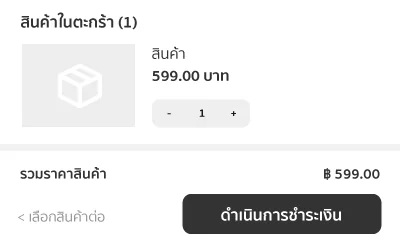
You can review the items in your cart by clicking the button at the top right corner.
Once you have reviewed the quantity and promotions, click to place your order. The system will take you to the order confirmation page.
Once you have reviewed the quantity and promotions, click to place your order. The system will take you to the order confirmation page.
3. Choose a Shipping Method and Enter Your Delivery Address
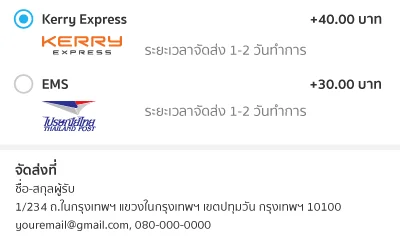
Select your preferred shipping method. The system will display the shipping fee and estimated delivery time.
Please enter the delivery address including the recipient's name, delivery address, and purchaser information so we can contact you when your order arrives.
Please enter the delivery address including the recipient's name, delivery address, and purchaser information so we can contact you when your order arrives.
4. Choose a Payment Method
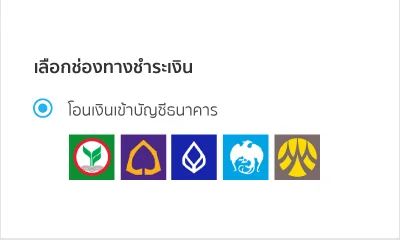
You can choose the payment method that is most convenient for you. We currently support the following payment methods:
- Scan QR
- Bank Transfer
- Scan QR
- Bank Transfer
5. Review Information and Confirm Your Order
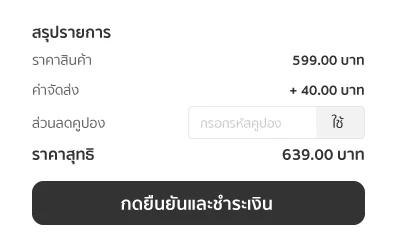
Please review all information on the order page again. If you have a discount coupon, you can enter it in this section. The system will update the final amount automatically. Once everything is correct, click to proceed with the payment.
6. Track Your Order Status
Your order has been placed successfully. The system will send an online invoice link to the email address you provided in step 3.
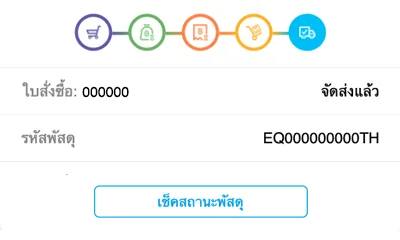
You can check your order status through this online invoice. Once your package has been shipped, you can also track the delivery status on the shipping provider's website.
You can track your order status and parcel tracking number at this link
You can check your order status through this online invoice. Once your package has been shipped, you can also track the delivery status on the shipping provider's website.
You can track your order status and parcel tracking number at this link
Payment Methods
Online Account

Scan QR



Bank Transfer


How to check order status
- You can check your order status through the following channels:
- Via email After confirming your order, the system will send email notifications for every status update.
- Via the order page link You can return to check the status at any time.
- The order detail page will display the status as follows:
 Waiting Payment You have successfully placed an order. Waiting for your payment. The system will show the due date and time before the order expires.
 Waiting for Payment Verification You have submitted your payment notification. Please wait for the store to verify and update the result (shown only for payment notification).
 Waiting for Shipment Your payment has been completed. Waiting for the seller to ship the product via the selected delivery method.
 Completed The seller has handed over the product to the delivery service provider. You can track the shipment status using the tracking number provided by the selected courier service.
 Expired The order has expired and can no longer be paid.
 Cancelled The order has been cancelled and no further actions can be taken.